Step-by-Step Guide to Implementing Society ERP Systems
By MyKutir Editorial Team — 2026-09-14
Discover a structured approach to implementing society ERP systems for streamlined management.
Implementing a society ERP system can be transformative for housing societies, providing a structured and efficient means to manage various tasks and functions. From handling billing and payments to managing visitor entries and complaints, society ERP systems offer a holistic approach to community management. These digital platforms, such as MyKutir, often include advanced features like AI-driven solutions that can automate and improve daily operations. This guide will walk you through the essential steps to successfully implement an ERP system for your housing society.
Introduction to Society ERP Systems
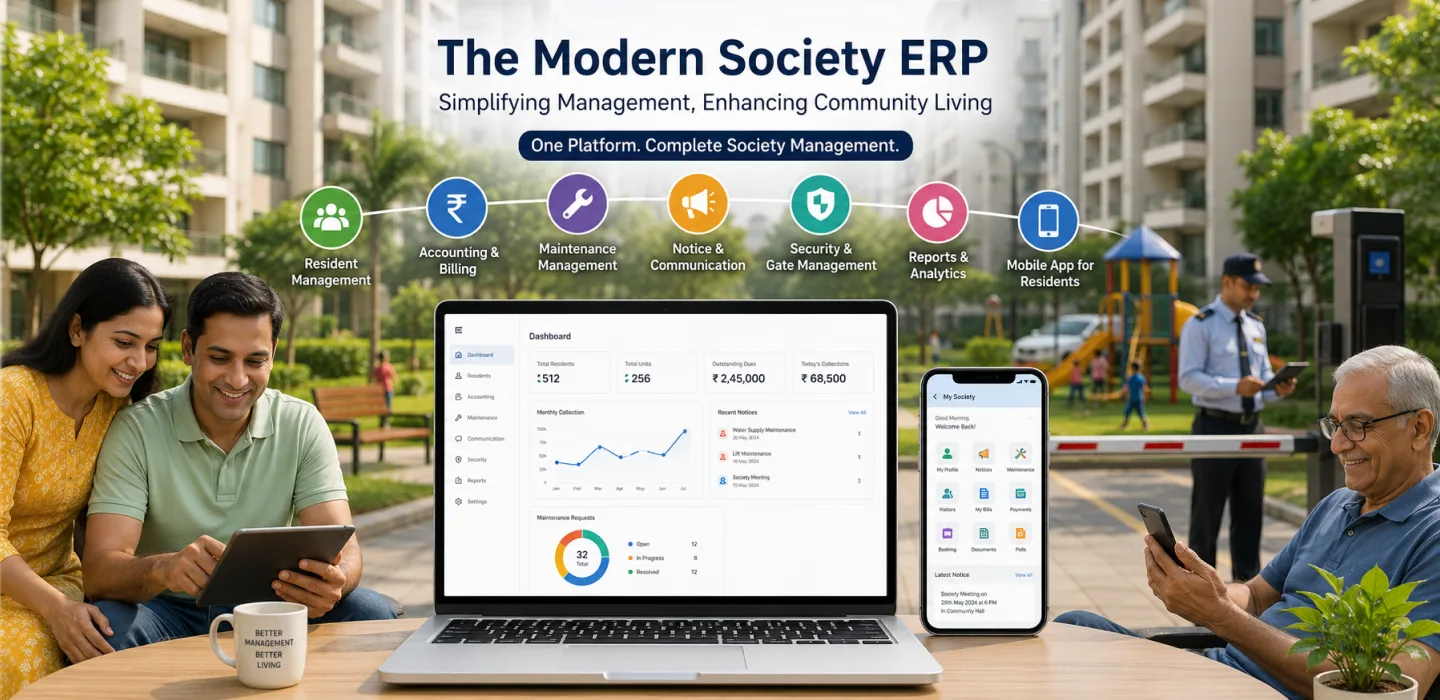
Society ERP systems are comprehensive software solutions designed to facilitate the management of housing societies. They integrate various modules to streamline operations, reduce manual workload, and enhance communication among residents and administrators. With modules for billing, visitor management, complaints handling, and even AI-driven features, these systems offer significant advantages over traditional methods. For instance, MyKutir includes smart automation features, such as AI-driven complaint management and notice drafting assistance, which save time and effort for society management teams.
The billing module allows societies to automate the invoicing process, track payments, and manage defaulters efficiently. This reduces the time spent on manual calculations and ensures accurate records are maintained. Visitor management modules help monitor entry and exit of guests, ensuring the security of the premises. Residents can pre-approve visitors or service personnel, thereby enhancing security and convenience.
Complaint management modules make it easier for residents to log issues and track their resolution status. This transparency encourages better communication between residents and management teams, fostering a more harmonious living environment. Furthermore, AI integration in systems like MyKutir can assist with predictive analysis, helping societies foresee and mitigate issues before they escalate. These modules, working in tandem, provide a robust framework for managing the diverse needs of a housing society.
By switching from Excel sheets or WhatsApp groups to a dedicated ERP system, housing societies can witness a remarkable improvement in efficiency and resident satisfaction. The digitalization of these processes ensures data accuracy, easy access to information, and improved decision-making capabilities for society administrators. Ultimately, society ERP systems cater to the dynamic needs of modern urban living, making them an indispensable tool for housing societies aiming for sustained growth and resident satisfaction.
Assessing Your Society’s Needs
The initial step in implementing a society ERP system is to conduct a thorough assessment of your society’s current needs and challenges. This involves evaluating existing processes and identifying areas that can benefit most from digital transformation. Involving a diverse group of stakeholders, including committee members, residents, and staff, in this assessment process is crucial for gaining a comprehensive understanding of the society’s requirements.
Begin by organizing meetings with committee members and residents to discuss current pain points and future aspirations. Are there recurring issues with billing discrepancies? Is visitor management labor-intensive and error-prone? Are complaints often lost or not addressed in a timely manner? Gathering insights from various perspectives will ensure that all critical areas are considered when selecting ERP features. Additionally, conducting surveys or focus group discussions can provide more structured feedback from residents.
Another important aspect is to assess the technological readiness of your society. Consider the digital literacy of residents and staff, as this will impact the complexity of the ERP system chosen. For societies with diverse age groups, it might be beneficial to select a platform that is user-friendly and requires minimal training. MyKutir, for example, offers intuitive interfaces and mobile apps that cater to both tech-savvy users and those less familiar with digital platforms.
Once the needs are clearly defined, prioritize them based on urgency and impact. Create a wishlist of features that address these needs, ensuring alignment with the society’s long-term vision. For instance, if security is a top concern, prioritize visitor management features. If financial management is a challenge, focus on robust billing and payment modules. This exercise helps in making informed decisions during the ERP selection process, ensuring the chosen platform aligns closely with the society’s goals and requirements.
Selecting the Right ERP Platform
Choosing the right ERP platform is a crucial step that determines the success of your society's digital transformation. With numerous options available, it's essential to consider several factors to ensure the platform chosen aligns with your society’s specific needs and capabilities.
Ease of Use: A user-friendly interface is critical for encouraging adoption among society members. Platforms with intuitive navigation and clear instructions reduce the learning curve and make it easier for residents and staff to interact with the system. MyKutir, for instance, offers a simple and accessible design that facilitates easy understanding even for those not technologically inclined.
Scalability: As housing societies grow, their management needs evolve. Selecting an ERP system that is scalable ensures that the platform can accommodate new requirements without the need for a complete overhaul. Consider whether the vendor offers modules that can be added or upgraded as needed.
AI Integration: Advanced features such as AI-powered complaint management and document automation can significantly enhance operational efficiency. AI can assist in predictive analytics, helping management teams forecast and prepare for potential issues. This forward-thinking capability can be a game-changer for societies looking to proactively manage their operations.
Vendor Reputation: Research into potential vendors is critical. Look for testimonials, case studies, and reviews of the ERP platforms under consideration. A vendor with a proven track record, such as MyKutir, will likely provide reliable support and updates, contributing to a smoother implementation process.
It is also beneficial to request demonstrations or free trials to evaluate the platform's functionality and fit with your society’s operations. Engaging with the vendor’s customer support during this period can provide insights into their responsiveness and willingness to assist with queries or issues. Comparing these factors will guide you in selecting an ERP system that not only meets immediate needs but also supports the society’s growth over time.
Preparing for Implementation
Successful ERP implementation begins with thorough preparation. As with any significant change, planning is crucial to ensure a smooth transition from existing processes to a digital system. This section outlines the key preparatory steps necessary for setting the stage for a successful ERP deployment.
Data Preparation: Begin by gathering and organizing all relevant data that will be migrated into the new ERP system. This includes member information, financial records, visitor logs, and complaint histories. Ensure data is accurate and up-to-date, as migrating incorrect data can lead to issues later. Involving IT personnel or data management experts in this phase can be highly beneficial.
Project Timeline: Draft a comprehensive project timeline that outlines key milestones and deadlines. This should include phases such as data migration, platform configuration, testing, and full deployment. Having a clear timeline helps keep the implementation process on track and allows for timely communication with residents and stakeholders.
Assigning Roles and Responsibilities: Clearly define roles and responsibilities for society members and staff involved in the implementation. Assign a dedicated project manager to oversee the process, coordinate with the ERP vendor, and handle any arising issues. Designate team leads for each module, such as billing or visitor management, to ensure focus and accountability.
Communication Plan: Develop a communication strategy to keep all stakeholders informed throughout the implementation process. Regular updates via emails, newsletters, or meetings will build trust and assurance among residents. Highlight the benefits of the new system and address any concerns to facilitate a smoother transition.
By meticulously preparing for implementation, societies can mitigate potential challenges and create a solid foundation for adopting the new ERP system. The goal is to ensure that the transition is as seamless as possible, minimizing disruptions to society operations and enhancing overall efficiency.
Implementation Process: Step-by-Step
Implementing a society ERP system involves several critical steps that must be followed systematically to ensure a smooth transition. This section provides a detailed breakdown of these steps, guiding you through the process from setup to full deployment.
Step 1: Platform Setup
Once the ERP platform is selected, the first step involves setting up the system. This includes configuring the software according to the society’s specific needs and integrating necessary modules such as billing, visitor management, and complaint handling. Work closely with your vendor, such as MyKutir, to ensure accurate setup and customization.
Step 2: Data Migration
After configuring the platform, migrate all relevant data into the system. This includes member details, financial records, and historical data. Data migration requires careful attention to ensure accuracy and completeness. Utilize data validation techniques to check for errors or inconsistencies prior to migration.
Step 3: Module Configuration
Configure each module to suit the society's operational requirements. This includes setting up billing cycles, visitor entry protocols, and complaint categorization. Tailor the modules to reflect your society’s policies and procedures, leveraging the flexibility of the ERP system to optimize workflows.
Step 4: Initial Testing
Conduct initial testing of the ERP system to identify and rectify any configuration or integration issues. Testing should include simulations of regular operations such as processing payments, logging complaints, and managing visitor entries. Involve a small group of residents in testing to gather feedback on usability and functionality.
Step 5: Full Deployment
Once testing is complete and any issues are resolved, proceed to full deployment. Announce the official launch of the ERP system to all residents, providing them with necessary login credentials and access instructions. Monitor the system closely during the initial phase of deployment to address any teething problems promptly.
Following these steps diligently ensures a well-structured implementation process, laying the groundwork for a successful transition to a digital society management platform.
Training and Onboarding Society Members
Effective training and onboarding are fundamental to ensuring the successful adoption of a society ERP system by residents and staff. Without proper training, even the most user-friendly ERP system can become a source of frustration and inefficiency.
Begin by organizing training sessions tailored to different user groups. This includes separate sessions for committee members, staff, and residents, each focusing on aspects of the ERP system relevant to their roles. For instance, committee members may require more in-depth training on financial modules, while residents may need guidance on logging complaints and using the visitor management feature.
Provide training materials in various formats, such as user manuals, video tutorials, and online webinars, to accommodate different learning preferences. MyKutir, for example, might offer step-by-step video guides that users can reference at their own pace. Consider offering both in-person training sessions and virtual options to ensure accessibility for all residents.
Encourage hands-on practice during training sessions, allowing participants to interact with the system directly. This experiential learning approach helps reinforce understanding and builds confidence in using the ERP platform. Address common questions and concerns during these sessions, providing real-time solutions and workarounds.
To foster continuous learning and support, establish a helpdesk or dedicated support channel where residents can seek assistance with the ERP system. This could be in the form of an email support line or a WhatsApp group managed by tech-savvy committee members. Regular follow-up sessions or refresher courses can also be scheduled to reinforce knowledge and introduce new features or updates.
A well-structured training and onboarding process not only ensures smooth adoption of the ERP system but also enhances resident satisfaction and engagement. By equipping users with the necessary skills and knowledge, societies can fully leverage the benefits of their new digital management platform.
Monitoring and Evaluation Post-Implementation
Monitoring and evaluating the performance of an ERP system after implementation is essential to ensure its continued effectiveness and relevance to the society's needs. This involves tracking key metrics, collecting feedback, and conducting regular evaluations to drive continuous improvement.
Begin by defining performance metrics that align with the society’s goals. These could include the number of successful bill payments processed, the reduction in complaint resolution time, or improvements in visitor management efficiency. Tracking these metrics over time provides insights into the system's impact and identifies areas for further optimization.
Collect feedback from residents and staff through surveys, suggestion boxes, or regular meetings. Understanding user experiences and challenges provides valuable information for fine-tuning the system. For instance, if residents express difficulties with the complaint logging process, the management team can collaborate with the vendor to enhance the user interface or provide additional training.
Conduct formal evaluations at regular intervals, such as quarterly or bi-annually, to review the ERP system's performance comprehensively. This should involve stakeholders from various roles, including committee members, staff, and residents. Use these evaluations to assess whether the system continues to meet the society's evolving needs and identify any additional features or modules that may be required.
| Metric | Ideal Outcome | Evaluation Frequency |
|---|---|---|
| Billing Accuracy | 99% Accuracy Rate | Monthly |
| Complaint Resolution Time | Resolution within 48 hours | Bi-weekly |
| Visitor Management Efficiency | 80% Pre-approved Entries | Monthly |
Regular monitoring and evaluation ensure that the ERP system remains a valuable asset to the society, continuously enhancing operational efficiency and resident satisfaction.
Troubleshooting Common Issues
Even with the best preparation and implementation processes, issues may arise during or after the deployment of an ERP system. Identifying and troubleshooting these common issues is crucial for maintaining the system’s efficiency and user satisfaction.
One frequent issue is data migration errors, which may lead to inconsistent or missing information in the ERP system. To address this, ensure thorough data validation before migration and conduct post-migration audits to identify anomalies. Working with the ERP vendor, like MyKutir, to establish robust data migration protocols can mitigate such risks.
User resistance is another common challenge, often stemming from unfamiliarity with the new system. Providing comprehensive training and maintaining open communication channels can alleviate apprehensions. Encourage feedback and offer support to users struggling with the transition. Gradual adoption strategies, where old and new systems run in parallel for a defined period, can also ease the transition.
Technical glitches, such as slow system response or module malfunctions, may occur, especially in the early stages of deployment. Establishing a dedicated support team to handle such issues promptly is vital. This team should work closely with the ERP provider to leverage their technical expertise in resolving complex issues swiftly.
Security concerns, particularly regarding data privacy and unauthorized access, are critical to address. Ensure that the ERP system complies with applicable data protection regulations and that robust security measures, such as encryption and multi-factor authentication, are in place.
By anticipating these common issues and implementing proactive troubleshooting strategies, societies can maintain the integrity of their ERP systems, ensuring they deliver consistent and reliable performance.
Case Study: Successful ERP Implementation
Consider a fictional case study of Greenfield Heights, a mid-sized housing society in Pune, which successfully implemented a society ERP system with significant positive outcomes. The society faced challenges with manual billing processes, unorganized complaint management, and inefficient visitor tracking.
After evaluating various ERP platforms, Greenfield Heights selected MyKutir, attracted by its user-friendly interface and comprehensive feature set. The management committee involved residents in the selection process, ensuring the chosen system met their needs and expectations.
The society undertook extensive data preparation, ensuring all member and financial records were accurate before migration. A project timeline was established, and roles were assigned to ensure accountability. The committee organized training sessions for residents and staff, facilitating a smooth onboarding process.
During implementation, they configured modules tailored to their specific needs. The billing module automated invoice generation and payment tracking, significantly reducing manual workload and errors. The complaint management module streamlined issue logging and resolution, while the visitor management system improved security and convenience.
Post-implementation, Greenfield Heights observed a marked improvement in operational efficiency. Bill payment accuracy increased to over 98%, and complaint resolution times halved. Resident feedback was overwhelmingly positive, highlighting improved communication and transparency.
Regular monitoring and evaluation ensured the system continued to meet the society’s needs, with periodic updates and enhancements implemented based on user feedback. This proactive approach helped maintain high resident satisfaction and facilitated a sense of community among residents.
This case study illustrates the transformative impact of a well-implemented ERP system, demonstrating how careful planning, stakeholder involvement, and ongoing evaluation can lead to sustainable improvements in housing society management.
FAQs
What is a society ERP system?
A society ERP system is a comprehensive software solution designed to manage the operations and functions of a housing society. It integrates various modules such as billing, visitor management, and complaint handling to streamline processes and enhance communication. By automating routine tasks and providing a centralized platform for data management, society ERP systems improve efficiency, accuracy, and transparency in society management.
Why is it important to assess society needs before implementing an ERP?
Assessing society needs before implementing an ERP system is crucial to ensure that the selected platform addresses the specific challenges and requirements of the community. By involving stakeholders, gathering insights, and prioritizing features, societies can make informed decisions that align with their operational goals and resident expectations. This tailored approach maximizes the benefits of the ERP system and supports successful adoption and long-term satisfaction.
How can we choose the right ERP platform for our society?
Choosing the right ERP platform involves evaluating factors such as ease of use, scalability, AI integration, and vendor reputation. User-friendly interfaces encourage adoption, while scalable systems accommodate growth. AI features enhance efficiency, and reputable vendors offer reliable support. Engaging with vendors through demonstrations or trials and soliciting feedback from current users can provide additional insights into the platform’s suitability for your society.
What are the key steps in implementing a society ERP?
Key steps in implementing a society ERP include platform setup, data migration, module configuration, initial testing, and full deployment. Thorough preparation involves organizing data, setting timelines, and defining roles. During implementation, configure the system to meet specific needs and conduct testing to ensure functionality. Post-deployment, monitor the system and gather feedback to drive continuous improvement.
How can we ensure successful adoption of the ERP system by residents?
Successful adoption of the ERP system by residents is achieved through comprehensive training and onboarding. Organize sessions tailored to different user groups, provide diverse training materials, and encourage hands-on practice. Establish support channels for ongoing assistance and address feedback promptly. Clear communication and demonstrating the benefits of the system also contribute to smooth adoption and long-term engagement.
Key Takeaways
- Society ERP systems streamline operations with modules for billing, visitor management, and complaint handling.
- Assessing society needs ensures the chosen ERP system aligns with specific community requirements.
- Consider ease of use, scalability, AI integration, and vendor reputation when selecting an ERP platform.
- Thorough preparation, including data organization and role assignment, lays the groundwork for successful ERP implementation.
- Step-by-step processes such as setup, configuration, and testing are essential for smooth deployment.
- Comprehensive training and support promote successful adoption and maximize the ERP system’s benefits.
- Regular monitoring and evaluation ensure the ERP system continues to meet society needs and drive continuous improvement.
- Anticipating and troubleshooting common issues maintain the ERP system’s efficiency and user satisfaction.
- Engaging stakeholders and continuous evaluation underpin a successful ERP implementation, as illustrated by case studies.